Bricklab

Build with bricks, right in your browser.

Bricklab is a free 3D brick workshop. Snap pieces onto a 32 × 32 stud plate, stack and paint them, and pick up where you left off next time. Nothing to download and no account to make.

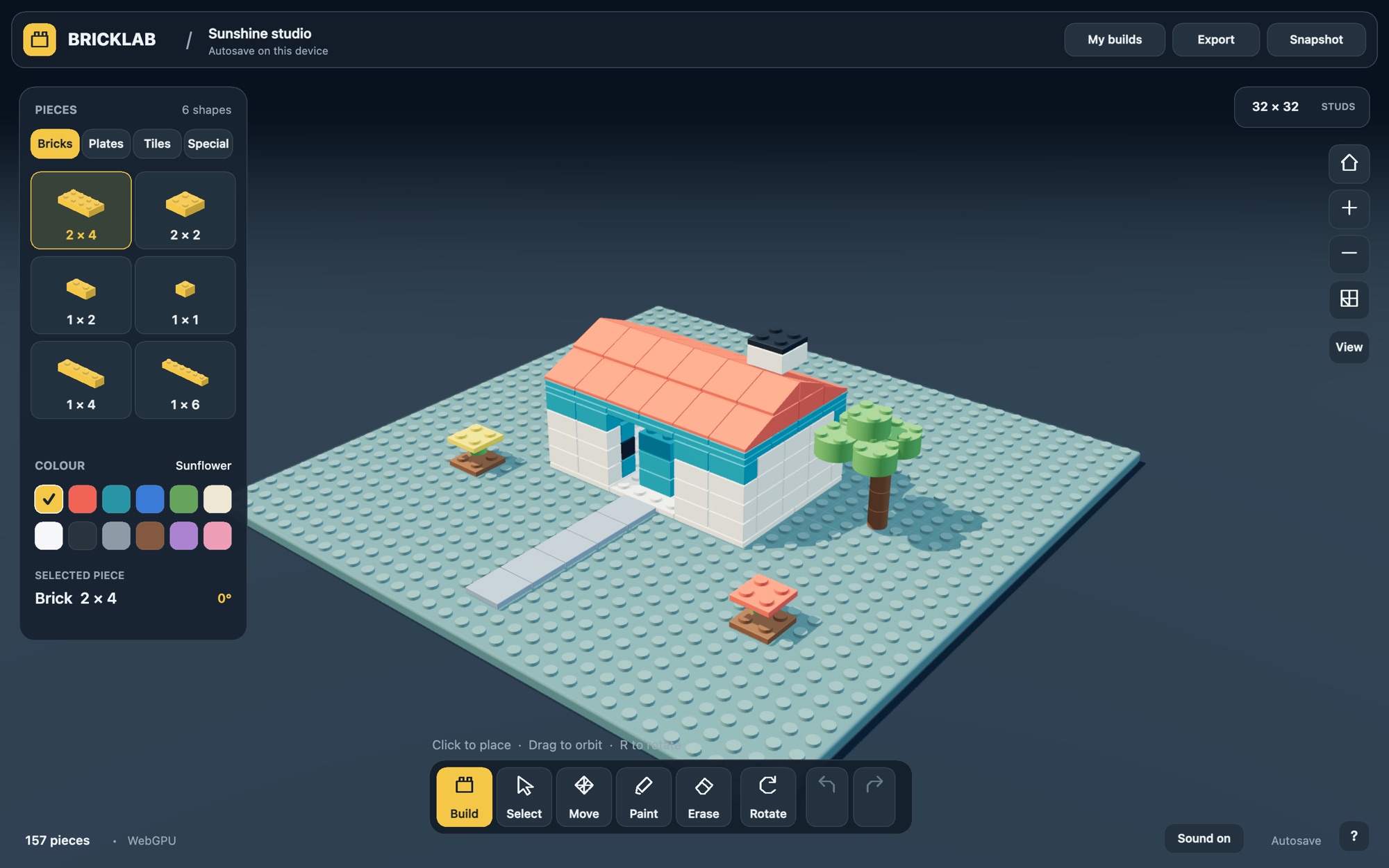
The Bricklab studio showing the Sunshine studio starter build: a white house with a coral roof, a tree and a stone path on a teal stud plate, with the piece catalog on the left and the tool bar along the bottom.
The Sunshine studio, one of the starter builds in My builds.

Twelve colours to build with

Pick a colour before you place a piece, or switch to the paint tool and recolour anything already on the plate.

What's in the box

Pieces

54 pieces in eight groups: bricks, plates, tiles, slopes, and rounds and cones, plus bricks with side studs, bricks with the holes they slot into, and links that slot into each other sideways.

Every piece snaps to the stud grid and turns in quarter steps. Pieces stay wherever you put them, or switch on gravity in Settings so they rest on what's below, hang from studs above, and fall when nothing holds them.

Tools

Click any piece for a wheel of actions: move, copy, paint, rotate, raise, lower or delete. Each one always sits in the same direction, so your hand learns it.

Undo and redo go back 80 steps, so trying an idea costs nothing.

Your builds

Your work saves itself on this device as you go. Export a .bricklab file to keep or share, then import it back any time.

Save a PNG snapshot. You start on an empty plate, with the Sunshine studio and the Colour tower a click away in My builds.
Keep your hands on the keys

Drag to orbit, right-drag to pan and scroll to zoom. Right-click a piece, or long-press it on a touchscreen, for its action wheel. On a phone, tap where a piece should go to see it there first, then tap Place. With the wheel open, the keys below act on that piece.

B
Build
V
Select
M
Move the piece
P
Paint the piece
X
Delete the piece
R
Rotate
D
Copy the piece
[]
Lower or raise one plate
FT
Home view or top view
⌘Z
Undo, add Shift to redo
⌘S
Download the project
18
Pick a wheel slot, Shift keeps it going

Open source, with nothing to install

Bricklab is plain JavaScript and Three.js. There's no framework, no build step and no tracking. It draws with WebGPU where your browser supports it and falls back to WebGL 2 elsewhere.

To run your own copy, clone the repository and serve the studio folder:

git clone https://github.com/swiftugandan/bricklab.git
cd bricklab
python3 -m http.server 4173 --directory dist

Bricklab is released under the MIT license. Bug reports and pull requests are welcome.