A family bank on the parents' phones.
Children earn points for activities and for the way they treat people. Points grow with interest while they're left alone, and can be swapped for real money whenever they choose.
Free. Android 9 or later. No account, no adverts, nothing sent over the internet.
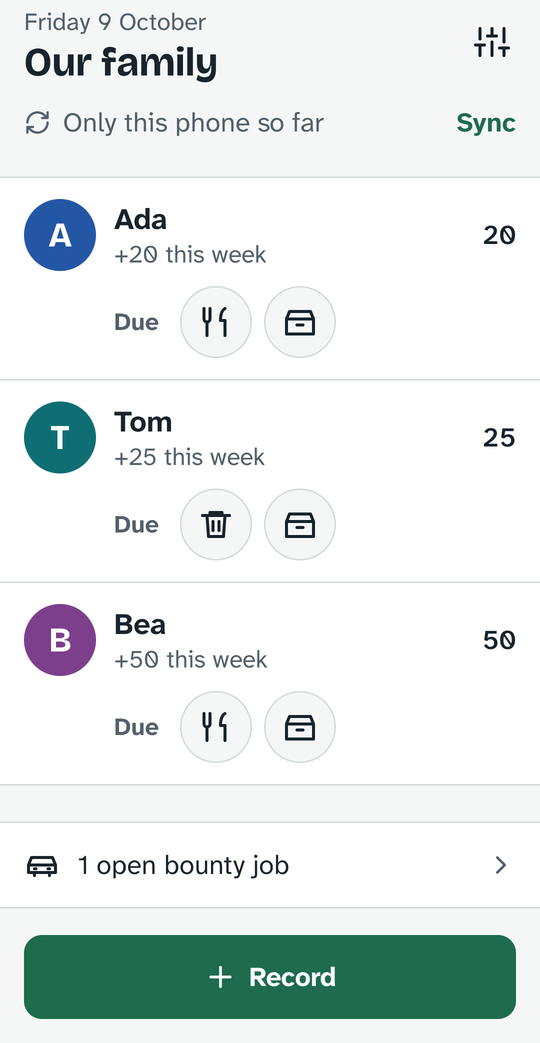
Earn. Leave it alone. Watch it grow.
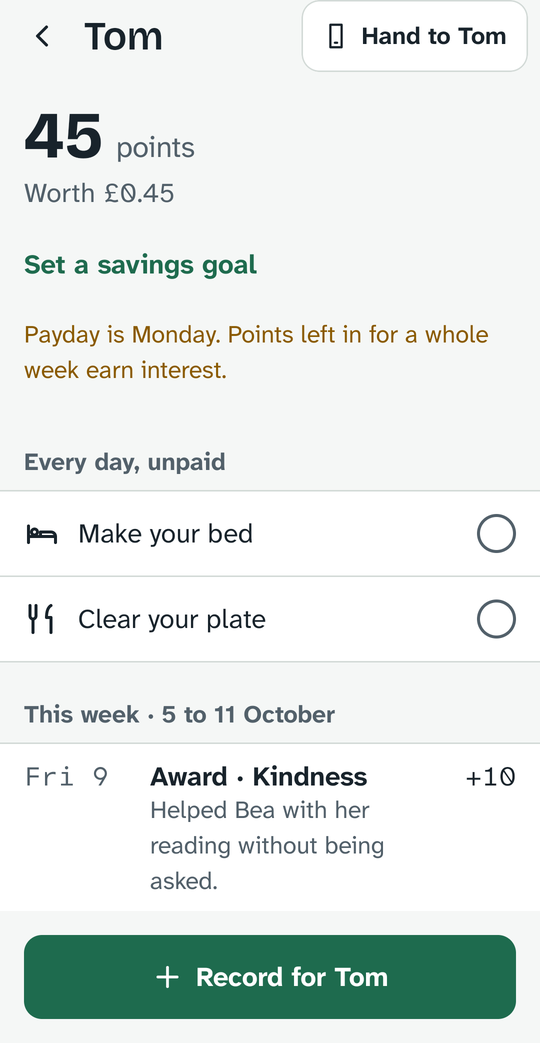
The whole idea fits in one week of a child's account.
Activities and kindness
Paid activities, bounty activities anyone can do, and awards for honesty, effort or courage, each with a note in your own words.
1% a week
Paid every Monday on the smallest amount held all week, so points have to stay in to count. A child sees it move.
Real money, from you
When a child wants to spend, you record the cash-out and hand over the money. The app never touches real money.
The defaults: 1 point is worth a penny, interest is 1% a week on up to 2,000 points, and only this week's earnings can ever be taken away. Every family can change them.
Made for the child holding the phone.
Hand the phone over and it shows just their account, pinned to the screen. Leaving needs your fingerprint or PIN.
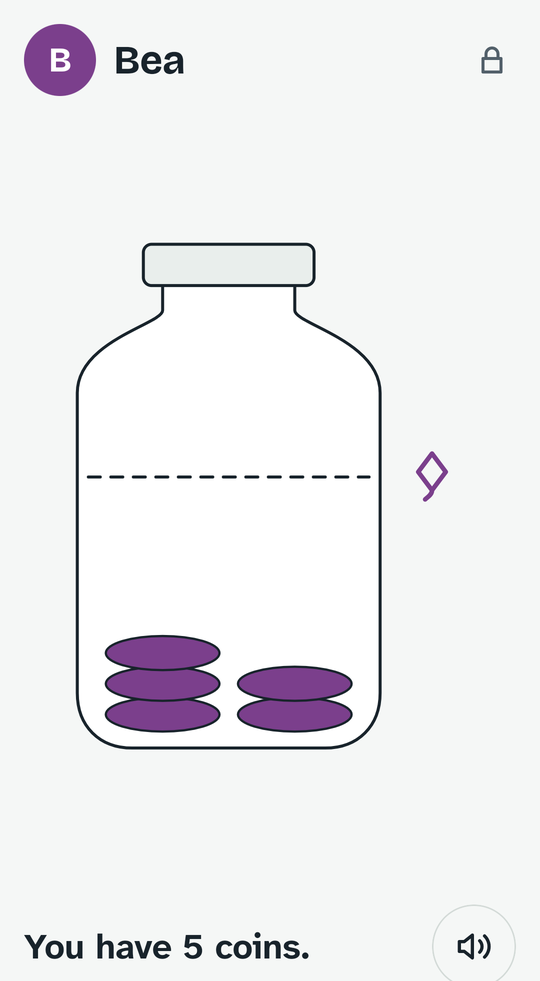
Pictures, for early readers
A jar that fills with coins, a line for the goal, and one sentence that's read aloud at a tap.
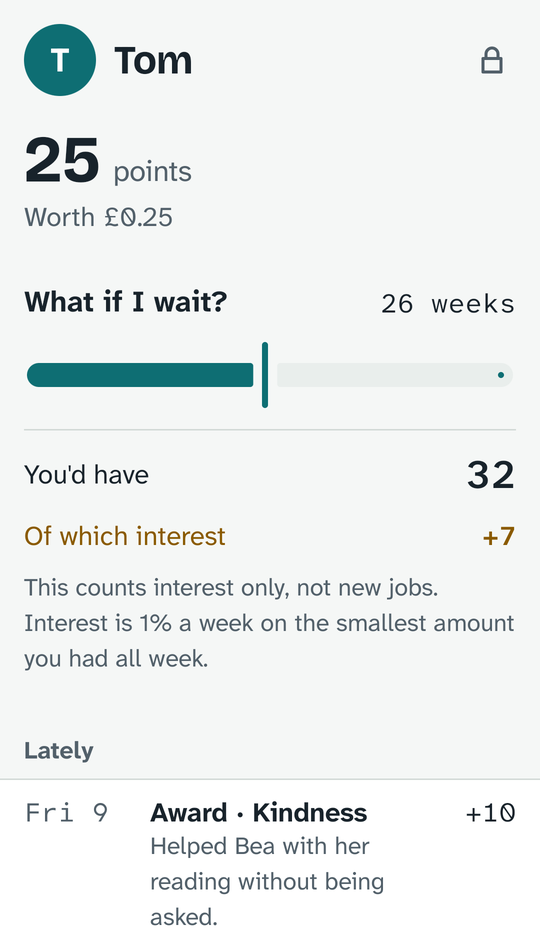
Numbers, for older children
The real figures, the full history, and a "what if I wait?" slider that only ever counts interest.
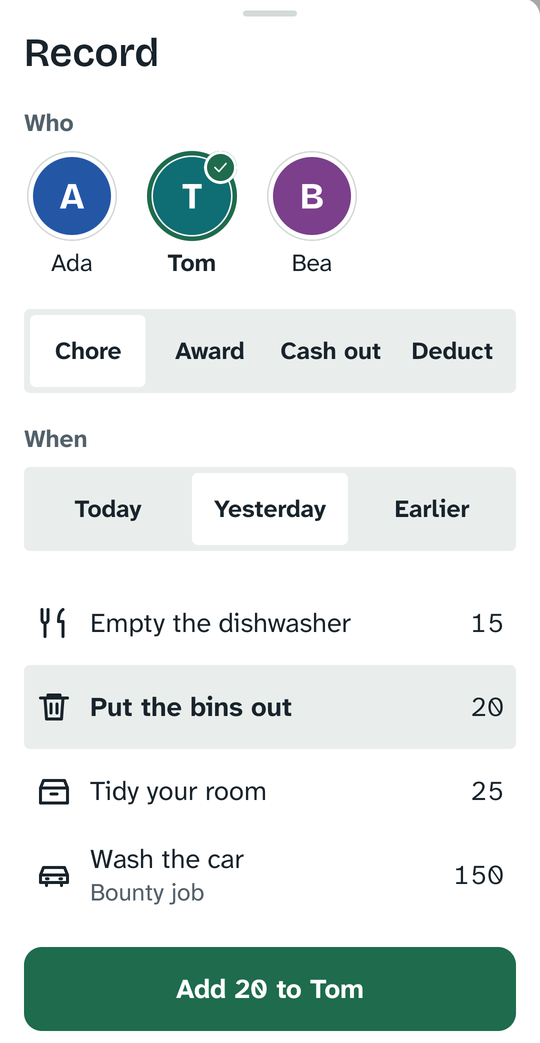
Recorded in five seconds
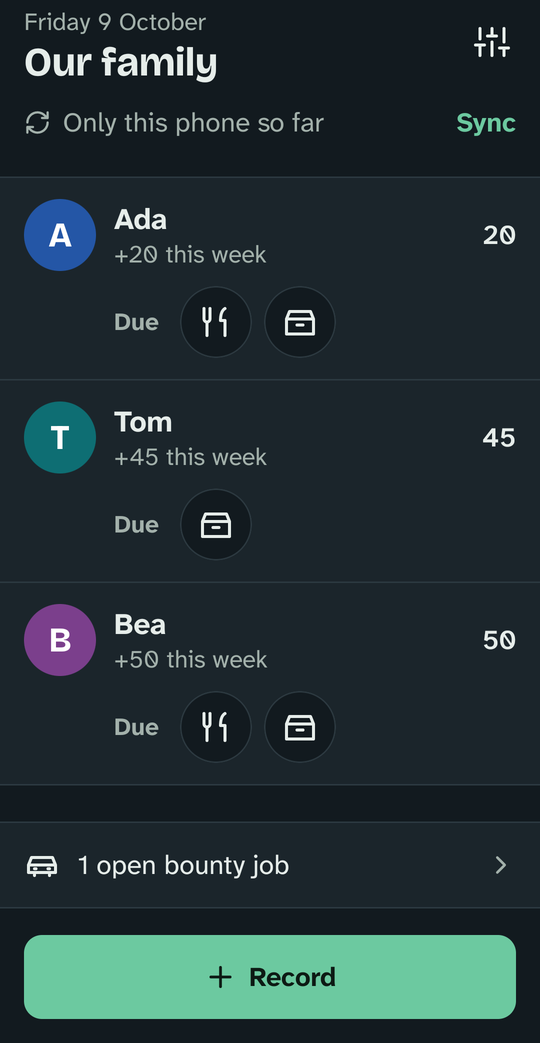
Tap a due activity on the home screen and it's done, with an Undo. Or open Record for awards, cash-outs and anything that happened earlier in the week.
The button always says what will happen: "Add 20 to Tom", "Pay Ada £2.00".
A history nobody can rewrite
Nothing is ever edited or deleted. A mistake is reversed with a reason, and both entries stay in the record, so children can trust what they see.
Every week closes with a payday line that says exactly what the interest was paid on.
Both parents, always agreeing
Phones on the same Wi-Fi keep each other up to date by themselves while the app is open. Away from home, they can sync over Bluetooth.
Two phones holding the same entries always show the same balances, to the penny.
Lock some away. Spend on a treat.
Two ways to make a choice about points, added in 0.2.
- Locked savingsPut points away for 4, 8 or 12 weeks at a higher rate. They come back on payday with their interest, by themselves. Breaking a lock early returns the points, but the interest is lost.
- Always visibleWherever a balance appears, what's locked appears beside it, with the day it comes back: "100 locked away until Mon 9 Nov, growing to about 108".
- A rewards shopScreen time, choosing dinner, a trip out: whatever your family agrees, each with a price. Spending on one is recorded like a cash-out.
- A widgetEvery child's balance on your home screen, in the order you added them and never ranked.
A bank, not a game.
Some things are left out on purpose.
- No streaks or badgesRewards children come to expect tend to crowd out their own reasons for doing things. Awards here are occasional and come with a note.
- Savings stay safeBy default, taking points away can only touch what was earned this week. If savings could vanish, saving would stop making sense.
- Unpaid activities existMaking your bed is part of living in a family. It gets ticked, not paid.
- Cash-outs aren't redSpending your own money is a perfectly good thing to do with it.
It stays in the family.
- No account, no serverThere is nowhere for your family's data to go except the parents' phones.
- Encrypted between phonesPhones join by scanning a pairing code. Every sync is checked and encrypted with that family key.
- Local network onlyAndroid needs the internet permission for any network socket, even inside your home. House Points only talks to phones on your own Wi-Fi, never to the internet.
- Backups you controlAndroid's own backup can keep a copy (end-to-end encrypted with your screen lock), and you can save a passphrase-locked file.
Install
- Download the app on each parent's Android phone.
- Open the file. If asked, allow your browser to install apps.
- On the first phone, choose "Start a family". On the second, choose "Join the family" and scan the code from the first phone's Settings, Phones.
Needs Android 9 or later. Bluetooth sync uses Google Play services.
Check it's the real thing
Every release is signed with the same key. Its SHA-256 certificate fingerprint is:
D1:B3:C7:CB:46:85:7C:2A:2D:39:82:B5:D4:77:CA:11:BE:C0:26:DB:3C:E1:F5:35:5E:0B:8B:DD:CB:A8:B3:E9
Source code, design notes and every release are on GitHub.
Questions
Does the app hold or move money?
No. It keeps the record. When a child cashes out, a parent hands over the money in whatever way suits the family.
Is there an iPhone version?
Not yet. House Points is Android only.
What happens if both parents record something while apart?
Both entries arrive at the next sync. If that changes a past week's smallest balance, the app says so plainly: "Interest recalculated: −1". If the same activity was recorded on both phones, it still counts once.
Can a child leave the child view?
Only with a parent's fingerprint or PIN, provided the phone has a screen lock. Without one, the app tells you before you hand it over.
Can one phone run 0.2 while the other is still on 0.1?
Yes. Both phones show the same balances. The older one shows a lock or a reward as a plain adjustment until it's updated.
What does it cost?
Nothing. There are no adverts and no purchases.